ENG | Spring Cleaning Fedora Server: Dead SDKs, Crash Loops, and coredumps
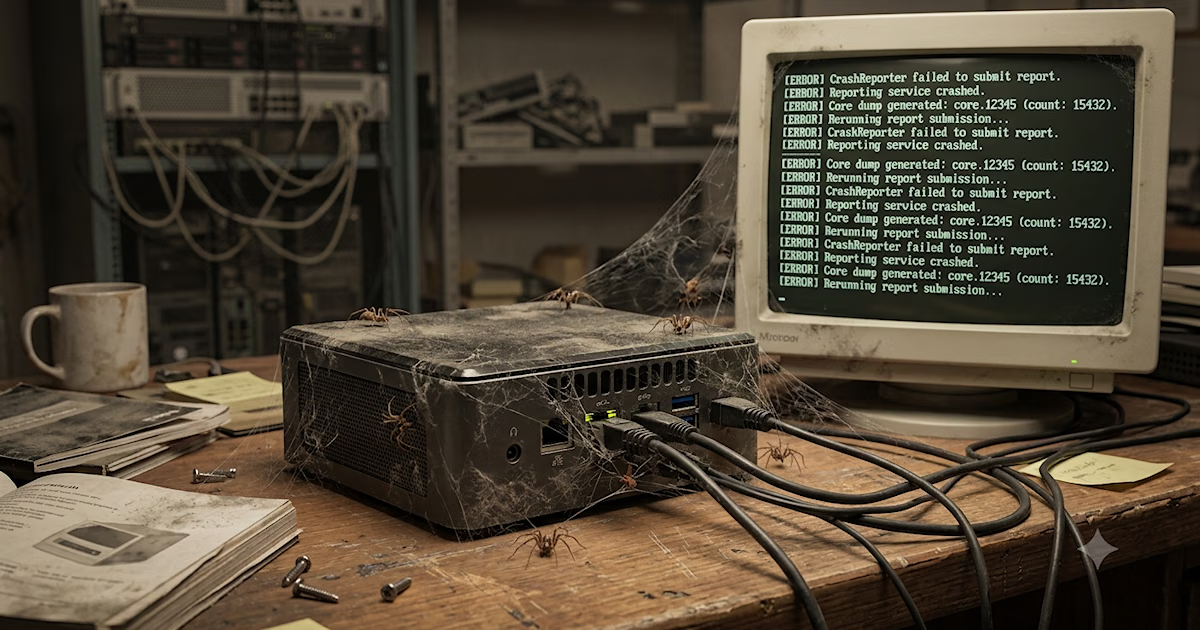
Three years of cruft, 15GB of crash dumps, and a crash reporter that crashed itself. What started as routine cleanup on my Fedora home server turned into a deep dive into systemd socket activation.
Background
Sometimes there comes a time for cleaning stuff and resolving some quirks that appeared recently. Fedora on my home server (hostname marten, raspberry pi was weasel) survived from Fedora 38 installed as soon as it was released to Fedora 44 - a bit over 3 years. Over the time, there were some dead SDKs (Nordic SDK), Python libraries for old versions, container with conda, pytorch and nvidia sdk which I barely remember installing to test some machine learning for image stitching … not much interesting, but few tens of gigabytes in total found by ncdu command.
In the end that cleanup took me over 3 hours. I had recurring error of looping crash dumps which I noticed few months ago, occasionally solved it by server reboot (which was a pitty, it had maybe 250 days uptime). So I finally decided to solve this.
Skip to coredumps section
Fixing autologin hack
One thing not typical was automatic login to tty1 to keep podman user-mode containers alive - it required one user session active. Correct way to do it is loginctl enable-linger [username].
Solution:
1
2
3
4
5
6
7
8
9
10
11
12
13
14
15
16
17
18
19
20
21
22
23
24
25
26
27
[pavel@marten -=- ~]$ loginctl show-user pavel
UID=1000
GID=1000
Name=pavel
Timestamp=Sat 2026-05-09 14:16:55 CEST
TimestampMonotonic=58120871
RuntimePath=/run/user/1000
[email protected]
Slice=user-1000.slice
Display=1
State=active
Sessions=161 124 80 3 1
IdleHint=no
IdleSinceHint=0
IdleSinceHintMonotonic=0
Linger=no
[pavel@marten -=- ~]$ cat /etc/systemd/system/[email protected]/autologin.conf
[Service]
ExecStart=
ExecStart=-/usr/sbin/agetty --autologin pavel --noclear %I $TERM

[pavel@marten -=- ~]$ loginctl enable-linger pavel
[pavel@marten -=- ~]$ cd /etc/systemd/system
[pavel@marten -=- /etc/systemd/system]$ rm -rf [email protected]
rm: cannot remove '[email protected]/autologin.conf': Permission denied
[pavel@marten -=- /etc/systemd/system]$ sudo rm -rf [email protected]
[sudo] password for pavel:
Removing dead apps from autostart
This is fun, I forgot Skype already.
1
2
3
[pavel@marten -=- ~]$ ls -la .config/autostart/
-rw-r--r--. 1 pavel pavel 199 Jul  1  2025 .config/autostart/skypeforlinux.desktop
[pavel@marten -=- ~]$ rm .config/autostart/skypeforlinux.desktop
Remove Python packages for old versions
These are in .local/lib
Deal with freaking coredumps
The irony of a crash reporter crashing while trying to report a crash, then creating a self-sustaining crash loop that generates gigabytes of crash reports about crash reports…
Investigation
I knew about this, but never at true scale. Just noticed some system load, not great, not terrible. I also noticed that restarting systemd, even during some updates, took time.
1
2
3
4
5
6
[pavel@marten -=- ~/.cache/drkonqi/crashes]$ ls
^C
[pavel@marten -=- ~/.cache/drkonqi/crashes]$ ls | wc -l
180977
[pavel@marten -=- ~/.cache/drkonqi/crashes]$ du -h .
9.7G
Almost 10 gigabytes. Over 180,000 files. ls command took quite long and I rather pressed Ctrl+C anticipating really really long list.
When you have that many files, a simple rm * won’t even work because the shell physically cannot pass that many arguments to the rm command:
1
2
3
4
5
6
[pavel@marten -=- ~/.cache/drkonqi/crashes]$ rm *
zsh: sure you want to delete more than 100 files in /home/pavel/.cache/drkonqi/crashes [yn]? y
zsh: argument list too long: rm
[pavel@marten -=- ~/.cache/drkonqi/crashes]$ find ~/.cache/drkonqi/crashes -type f -delete
[pavel@marten -=- ~/.cache/drkonqi/crashes]$ ls
[pavel@marten -=- ~/.cache/drkonqi/crashes]$
Few minutes later, there were new files every 20 or 30 second. Let’s see what crashes, I’m quite sure it is a crash handler in a loop.
1
2
3
4
5
6
7
8
9
10
11
12
13
14
15
16
17
18
19
20
21
22
23
24
25
26
27
28
[pavel@marten -=- ~/.cache/drkonqi/crashes]$ coredumpctl list | tail -5
Fri 2026-05-29 21:26:17 CEST   14683 1000 1000 SIGSEGV present  /usr/libexec/drkonqi-coredump-launcher                           861.8K
Fri 2026-05-29 21:26:42 CEST   14764 1000 1000 SIGSEGV present  /usr/libexec/drkonqi-coredump-launcher                           864.6K
Fri 2026-05-29 21:27:07 CEST   14876 1000 1000 SIGSEGV present  /usr/libexec/drkonqi-coredump-launcher                           864.3K
Fri 2026-05-29 21:27:17 CEST   14991 1000 1000 SIGSEGV present  /usr/libexec/drkonqi-coredump-launcher                           865.7K
Fri 2026-05-29 21:27:42 CEST   15078 1000 1000 SIGSEGV present  /usr/libexec/drkonqi-coredump-launcher                           862.2K

[pavel@marten -=- ~/.cache/drkonqi/crashes]$ coredumpctl info 15078
           PID: 15078 (drkonqi-coredum)
           UID: 1000 (pavel)
           GID: 1000 (pavel)
        Signal: 11 (SEGV)
     Timestamp: Fri 2026-05-29 21:27:42 CEST (8min ago)
  Command Line: /usr/libexec/drkonqi-coredump-launcher
    Executable: /usr/libexec/drkonqi-coredump-launcher
 Control Group: /user.slice/user-1000.slice/[email protected]/app.slice/drkonqi-coredump-launcher@45-12308-15067_3707-0.service
          Unit: [email protected]
     User Unit: drkonqi-coredump-launcher@45-12308-15067_3707-0.service
         Slice: user-1000.slice
     Owner UID: 1000 (pavel)
       Boot ID: 3a953966780e40c98449db6567f26994
    Machine ID: 6e625a567b4d45d3b2e9d471deb03dd7
      Hostname: marten
       Storage: /var/lib/systemd/coredump/core.drkonqi-coredum.1000.3a953966780e40c98449db6567f26994.15078.1780082862000000.zst (present)
  Size on Disk: 862.2K
       Package: plasma-drkonqi/6.6.5-1.fc44
      build-id: 414b4b9c66d9a867601ceb8c7d34b6dcfc42e800
       Message: Process 15078 (drkonqi-coredum) of user 1000 dumped core.
Yes, the KDE crash reporter (Dr. Konqi seems to be similar to Dr. Watson on Windows NT or XP - now Windows Error Reporting) was crashing while trying to report a crash. Pulling the stack trace with coredumpctl info revealed what was happening:
- Something crashed.
drkonqilaunched to handle the core dump.drkonqitried to send a desktop notification usinglibKF6NotificationsandNotifyByPopup.- Because I am running headless over an SSH console (no Qt xcb display available), the notification failed, causing
drkonqito segfault. GOTO 1
So, what was the original crash that triggered this cascading failure?
I checked the logs for anything besides drkonqi using coredumpctl list | grep -v drkonqi | tail -10 and found the true offender: mostly /usr/bin/ksshaskpass.
1
2
3
4
5
6
7
8
9
10
11
[pavel@marten -=- ~/dev-blog]$ git pull
qt.qpa.xcb: could not connect to display
qt.qpa.plugin: From 6.5.0, xcb-cursor0 or libxcb-cursor0 is needed to load the Qt xcb platform plugin.
qt.qpa.plugin: Could not load the Qt platform plugin "xcb" in "" even though it was found.
This application failed to start because no Qt platform plugin could be initialized. Reinstalling the application may fix this problem.

Available platform plugins are: eglfs, linuxfb, minimal, minimalegl, offscreen, vkkhrdisplay, vnc, wayland-brcm, wayland-egl, wayland, xcb.

error: /usr/bin/ksshaskpass died of signal 6
error: unable to read askpass response from '/usr/bin/ksshaskpass'
Password for 'https://[email protected]':
Every time I ran a git command in the terminal, Git saw the SSH_ASKPASS=ksshaskpass environment variable was set. Instead of just asking for my password in the console like a normal CLI tool, it tried to spawn a graphical KDE password dialog, which is completelly useless and quite horrible - entering user name feels like entering password, because dialog basically displays prompt from ssh and passes whatever is entered back. I hated it before I knew it can trigger something bad.
Because there’s no display, ksshaskpass aborted (Signal 6), which triggered drkonqi, which then segfaulted (Signal 11) trying to show a notification about the crash having no KDE session.
“Linux is so stable!” they say. Sure, …
Nuking SSH_ASKPASS
I needed to rid my environment of SSH_ASKPASS. But who was setting it?
1
2
[pavel@marten -=- ~/.cache/drkonqi/crashes]$ echo $SSH_ASKPASS
/usr/bin/ksshaskpass
Ok, let’s use modern ripgrep which is a bit faster than grep and also more colorful and I want to learn it, because it works on Windows too.
1
2
3
4
5
6
7
8
9
10
11
12
13
14
[pavel@marten -=- ~]$ rg SSH_ASKPASS ~/.config/ ~/.bashrc ~/.bash_profile ~/.profile ~/.zshrc ~/.zprofile /etc/profile.d/ 2>/dev/null
/etc/profile.d/gnome-ssh-askpass.sh
1:SSH_ASKPASS=/usr/libexec/openssh/gnome-ssh-askpass
2:export SSH_ASKPASS

/etc/profile.d/gnome-ssh-askpass.csh
1:setenv SSH_ASKPASS /usr/libexec/openssh/gnome-ssh-askpass

/etc/profile.d/kde-openssh-askpass.sh
1:SSH_ASKPASS=/usr/bin/ksshaskpass
2:export SSH_ASKPASS

/etc/profile.d/kde-openssh-askpass.csh
1:setenv SSH_ASKPASS /usr/bin/ksshaskpass
Let’s get rid of it … hopefully
1
2
3
4
5
6
7
8
9
10
11
12
13
14
15
16
17
18
[pavel@marten -=- ~]$ mkdir -p ~/.config/environment.d
cat > ~/.config/environment.d/99-no-ksshaskpass.conf << 'EOF'
SSH_ASKPASS=
SSH_ASKPASS_REQUIRE=
EOF
[pavel@marten -=- ~]$ cat ~/.config/environment.d/99-no-ksshaskpass.conf
SSH_ASKPASS=
SSH_ASKPASS_REQUIRE=
[pavel@marten -=- ~]$ systemctl --user daemon-reload
[pavel@marten -=- ~]$ systemctl --user import-environment
Calling import-environment without a list of variable names is deprecated.
[pavel@marten -=- ~]$ echo $SSH_ASKPASS
/usr/bin/ksshaskpass
[pavel@marten -=- ~]$ rpm -qf `which ksshaskpass`
ksshaskpass-6.6.5-1.fc44.x86_64
[pavel@marten -=- ~]$ unset SSH_ASKPASS
[pavel@marten -=- ~]$ export SSH_ASKPASS=
[pavel@marten -=- ~]$ echo $SSH_ASKPASS
1
2
3
[pavel@marten -=- ~/dev-blog]$ git pull
Password for 'https://[email protected]':
Already up to date.
Good, I tried to open a new terminal and it does not show SSH_ASKPASS … wait, except i’m on notebook with openSUSE running KDE … lol.
It is still there when I log in to homeserver.
Ok, let’s put this into .zshrc:
1
2
3
# override KDE's unconditional ksshaskpass from /etc/profile.d/
unset SSH_ASKPASS
unset SSH_ASKPASS_REQUIRE
I still wonder how /etc/profile.d works, because there is a file for Gnome as well. Maybe it’s assumed that user does not install both desktops and something just wins. Oh, by the way I never had Gnome. And there are few bugs reported for this crap app, such as people complaining about mistaking username and password every time or unconditional start. If it works with KWallet under KDE then ok, at least something.
Nuking DrKonqi
1
2
3
[pavel@marten -=- ~]$ systemctl --user mask drkonqi-coredump-launcher.socket \
systemctl --user stop drkonqi-coredump-launcher.socket
Created symlink '/home/pavel/.config/systemd/user/drkonqi-coredump-launcher.socket' → '/dev/null'.
Wait a bit and try if crash loop disappears and won’t start again
1
2
3
4
5
6
7
8
9
10
11
12
13
14
15
16
17
18
19
20
21
22
23
[pavel@marten -=- ~]$ dolphin
qt.qpa.xcb: could not connect to display
qt.qpa.plugin: From 6.5.0, xcb-cursor0 or libxcb-cursor0 is needed to load the Qt xcb platform plugin.
qt.qpa.plugin: Could not load the Qt platform plugin "xcb" in "" even though it was found.
This application failed to start because no Qt platform plugin could be initialized. Reinstalling the application may fix this problem.

Available platform plugins are: eglfs, linuxfb, minimal, minimalegl, offscreen, vkkhrdisplay, vnc, wayland-brcm, wayland-egl, wayland, xcb.

zsh: IOT instruction (core dumped)  dolphin

[pavel@marten -=- ~]$ date && coredumpctl list | tail -10
Fri May 29 10:56:59 PM CEST 2026
Fri 2026-05-29 22:47:42 CEST   41568 1000 1000 SIGSEGV present  /usr/libexec/drkonqi-coredump-launcher                           869.3K
Fri 2026-05-29 22:48:07 CEST   41682 1000 1000 SIGSEGV present  /usr/libexec/drkonqi-coredump-launcher                           871.1K
Fri 2026-05-29 22:48:17 CEST   41807 1000 1000 SIGSEGV present  /usr/libexec/drkonqi-coredump-launcher                           870.1K
Fri 2026-05-29 22:48:42 CEST   41889 1000 1000 SIGSEGV present  /usr/libexec/drkonqi-coredump-launcher                           871.2K
Fri 2026-05-29 22:49:07 CEST   42001 1000 1000 SIGSEGV present  /usr/libexec/drkonqi-coredump-launcher                           862.9K
Fri 2026-05-29 22:49:17 CEST   42112 1000 1000 SIGSEGV present  /usr/libexec/drkonqi-coredump-launcher                           868.4K
Fri 2026-05-29 22:49:42 CEST   42203 1000 1000 SIGSEGV present  /usr/libexec/drkonqi-coredump-launcher                           870.1K
Fri 2026-05-29 22:50:07 CEST   42321 1000 1000 SIGSEGV present  /usr/libexec/drkonqi-coredump-launcher                           871.2K
Fri 2026-05-29 22:50:17 CEST   42438 1000 1000 SIGSEGV present  /usr/libexec/drkonqi-coredump-launcher                             870K
Fri 2026-05-29 22:55:39 CEST   43405 1000 1000 SIGABRT present  /usr/bin/dolphin                                                   1.4M
[pavel@marten -=- ~]$
Good, nothing in few minutes, we still have something to clean up
1
2
3
4
5
6
7
8
9
10
11
12
13
14
15
16
17
18
19
20
[pavel@marten -=- ~]$ coredumpctl list | wc -l
94067
[pavel@marten -=- ~]$ du -h /var/lib/systemd/coredump
3.6G	/var/lib/systemd/coredump
[pavel@marten -=- ~]$ ls -1 /var/lib/systemd/coredump | wc -l
4243
[pavel@marten -=- ~]$ sudo -i
[sudo] password for pavel:
[root@marten -=- ~]# cd /var/lib/systemd/coredump/
[root@marten -=- /var/lib/systemd/coredump]# rm *
rm: remove regular file 'core.dolphin.1000.3a953966780e40c98449db6567f26994.43405.1780088139000000.zst'? ^C
[root@marten -=- /var/lib/systemd/coredump]# rm -f *.zst
[root@marten -=- /var/lib/systemd/coredump]# ls -la
total 40
drwxr-xr-x. 1 root root   0 May 29 23:14 .
drwxr-xr-x. 1 root root 144 Mar 13 01:00 .
[pavel@marten -=- ~/dev-blog]$ coredumpctl list|tail -n 3
Fri 2026-05-29 22:50:07 CEST   42321 1000 1000 SIGSEGV missing  /usr/libexec/drkonqi-coredump-launcher                              -
Fri 2026-05-29 22:50:17 CEST   42438 1000 1000 SIGSEGV missing  /usr/libexec/drkonqi-coredump-launcher                              -
Fri 2026-05-29 22:55:39 CEST   43405 1000 1000 SIGABRT missing  /usr/bin/dolphin
How is it even triggered?
1
2
3
4
5
6
7
8
9
10
11
12
[pavel@marten -=- ~]$ ls -la /usr/lib/systemd/user/drkonqi-*
-rw-r--r--. 1 root root 805 May 14 02:00 /usr/lib/systemd/user/drkonqi-coredump-cleanup.service
-rw-r--r--. 1 root root 464 May 12 12:23 /usr/lib/systemd/user/drkonqi-coredump-cleanup.timer
-rw-r--r--. 1 root root 430 May 14 02:00 /usr/lib/systemd/user/[email protected]
-rw-r--r--. 1 root root 948 May 12 12:23 /usr/lib/systemd/user/drkonqi-coredump-launcher.socket
-rw-r--r--. 1 root root 526 May 14 02:00 /usr/lib/systemd/user/drkonqi-coredump-pickup.service
-rw-r--r--. 1 root root 397 May 12 12:23 /usr/lib/systemd/user/drkonqi-sentry-postman.path
-rw-r--r--. 1 root root 356 May 14 02:00 /usr/lib/systemd/user/drkonqi-sentry-postman.service
-rw-r--r--. 1 root root 357 May 12 12:23 /usr/lib/systemd/user/drkonqi-sentry-postman.timer
[pavel@marten -=- ~]$ rpm -qf /usr/lib/systemd/user/[email protected]
plasma-drkonqi-6.6.5-1.fc44.x86_64
[pavel@marten -=- ~]$
Listing files by rpm -ql plasma-drkonqi-6.6.5-1.fc44.x86_64 reveals more.
Consequences
It still fails on packages updates (output from openSUSE on notebook)
1
2
3
4
5
6
7
8
9
10
11
12
%transfiletriggerin(systemd-260.1-2.0.2.1.sr20260504.x86_64) script output:
Job for [email protected] failed.
See "systemctl status [email protected]" and "journalctl -xeu [email protected]" for details.
error: lua script failed: [string "%transfiletriggerin(systemd-260.1-2.0.2.1.sr2..."]:1: exit code
Error from %transfiletriggerin(systemd-260.1-2.0.2.1.sr20260504.x86_64)
%transfiletriggerpostun(systemd-260.1-2.0.2.1.sr20260504.x86_64) script output:
Job for [email protected] failed.
See "systemctl status [email protected]" and "journalctl -xeu [email protected]" for details.
error: lua script failed: [string "%transfiletriggerpostun(systemd-260.1-2.0.2.1..."]:2: exit code
Error from %transfiletriggerpostun(systemd-260.1-2.0.2.1.sr20260504.x86_64)
%transfiletriggerpostun(systemd-260.1-2.0.2.1.sr20260504.x86_64) script output:
Failed to start jobs: Connection timed out
1
systemctl status [email protected]
1
Jun 06 07:28:43 thinkpad systemd[62231]: drkonqi-coredump-launcher.socket: Unit configuration changed while unit was running, and no socket file descriptors are open. Unit not functional until restarted.
Resolution
I wanted to report bug, but I found it was fixed just recently: Repetitive crash in DrKonqi in KNotificationPlugin::stripRichText Also, my complain about ksshaskpass is 10 years old feature
The Takeaway
Desktop environments like KDE are great, but when their graphical utilities leak into your headless SSH sessions via global profile scripts, things get messy quickly. Especially when they all crash without KDE session or display.
Total disk space reclaimed? Maybe 15 GB. Total peace of mind? Priceless.
In the end server was writing roughly 20GB per days to disk. SSD should handle five orders of magnitude more, but still. Crash dumps, info files, log entries, file system overhead.
Problem affects also openSUSE Slowroll on my notebook - when anything crashes while I’m using Sway.