ENG | Assorted bike notes

Removing goo from old bike computer
I used to have some bike computer which never reliably worked, but it had some really good glue which attached it to handlebars together with mechanical mount clamp. I was never able to remove it, because glue was stronger than some rubber-like material on top of it so it left ugly stuff there forever.
Looking at one photo i was really angry and asked LLM how to remove this sticky residue. It gave me good tip, although indirect one to scrape it with some rubber. So I used pencil eraser. It worked slowly, used up a good chunk of eraser and left a lot of mess, but goo was gone in like five minutes. Glue residues were finally removed by isopropyl alcohol and paper towel.
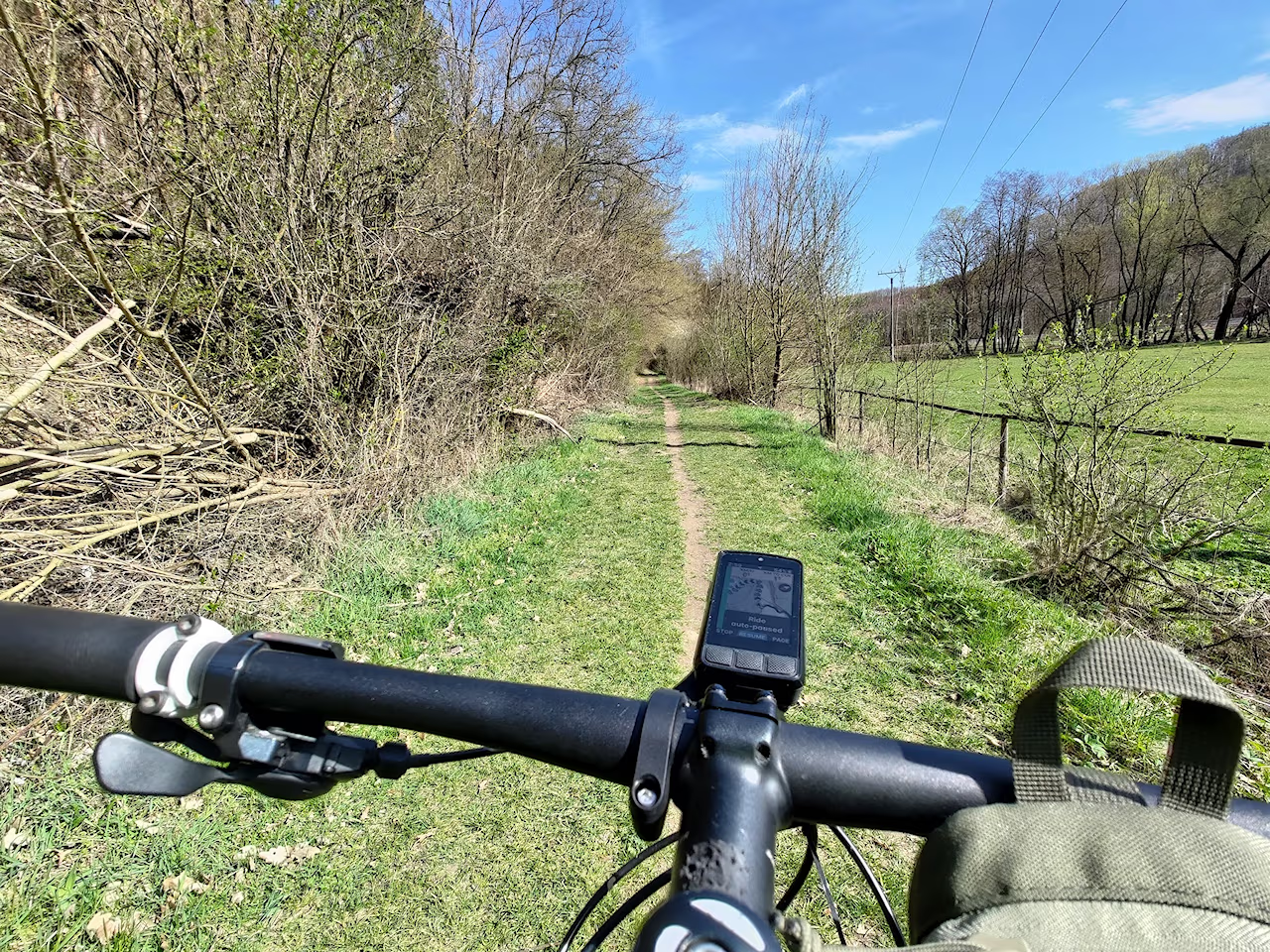
Wahoo Elemnt Bolt 3
Short review
I bought this gadget because
- My Garmin Forerunner 255s smart watch does not have maps. It only shows line to follow.
- Smartwatches are completely useless during cold parts of year with long sleeves.
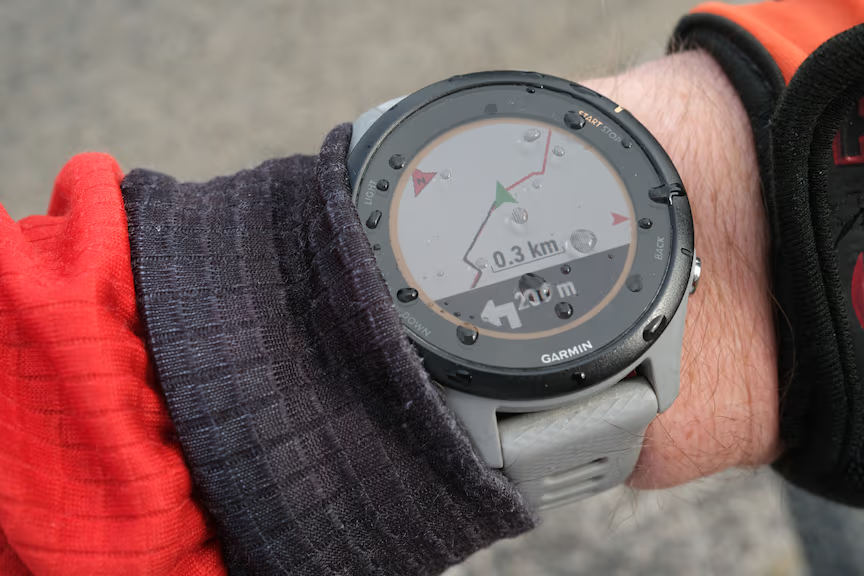 Garmin Forerunner 255s navigation
Am I happy with it? Actually yes. Advantage is that it can recompute track during the ride. Which is also disadvantage, because sometimes it suggest using main road instead of forest path and after using it for navigation only on one longer ride, I don’t know how exactly it works. Another advantage is more data fields and switching screens feels much safer. Wahoo works fine with Garmin Varia radar and HRM-Dual chest band.
However, it does not work with Garmin ecosystem, Garmin does not use data from 3rd party devices and even its own “cheap” devices for training evaluation and such. They have all the data needed, but some training statistics are locked only to higher models.
And disadvantage is that Garmin Forerunner 255 has more data fields, such as Estimated Time of Arrival (ETA), remaining distance and remaining elevation. However, Wahoo has Strava segments and climbs.
And I almost forgot - when Garmin smartwatches are used for navigation, it works together with mobile app, which gives voice commands. These are sometimes extremely confusing. Like: “In 180m turn left.”, “In 37m turn left.”, “Turn left!”, “Turn left!”, “Turn right!” (wait, what?). “In 3450m turn right.”. Sometimes it’s not clear why to turn right just after I turned left. Sometimes it means continue parallel with original road. Sometimes it makes no sense. Sometimes turn left meant turn slightly left, not right and not right angle left turn. So it’s too talkative, instructions are unclear and it drains phone battery. With Wahoo, this is gone.
Despite some minor quirks, I’m perfectly happy with both.
Initial setup
File transfer
Curiously, due to data privacy concerns, Wahoo Element Bolt 3 does not expose stored tracks when connected by USB cable to PC by default.
- Not just any USB cable will work. Some USB cables are good only for charging.
- By default, file access is not allowed.
- By default, files are not exposed on USB storage
The easiest way to export track is to share it to Strava.
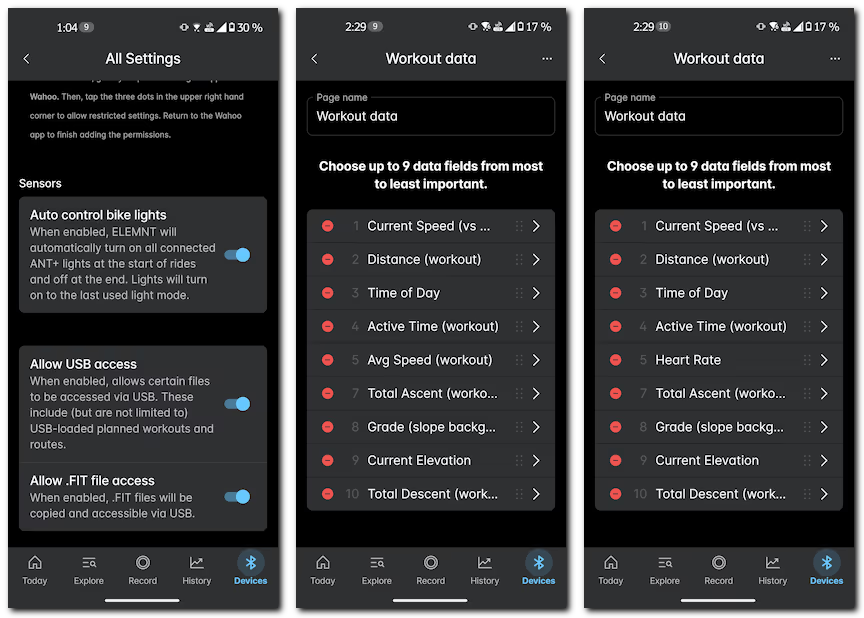
Or navigate to Devices -> ELEMNT BOLT -> Setting, scroll down and allow both USB access and .FIT file access. Future recorded tracks will be found in ELEMNT-BOLT3/Internal shared storage/exports (on Windows)
Missing Heart Rate field
After one or two rides I switched profile from bike ride to MTB. Then I noticed it no longer shows heart rate from sensor, but curiously it was present in recorded data. Solution is to change data fields for MTB activity in mobile app, they differ between profiles. Go to Devices -> ELEMNT BOLT -> Workout Profiles -> Mountain Biking -> Workout Pages -> Workout data and change fields ((5) Avg Speed (workout) -> Heart rate )